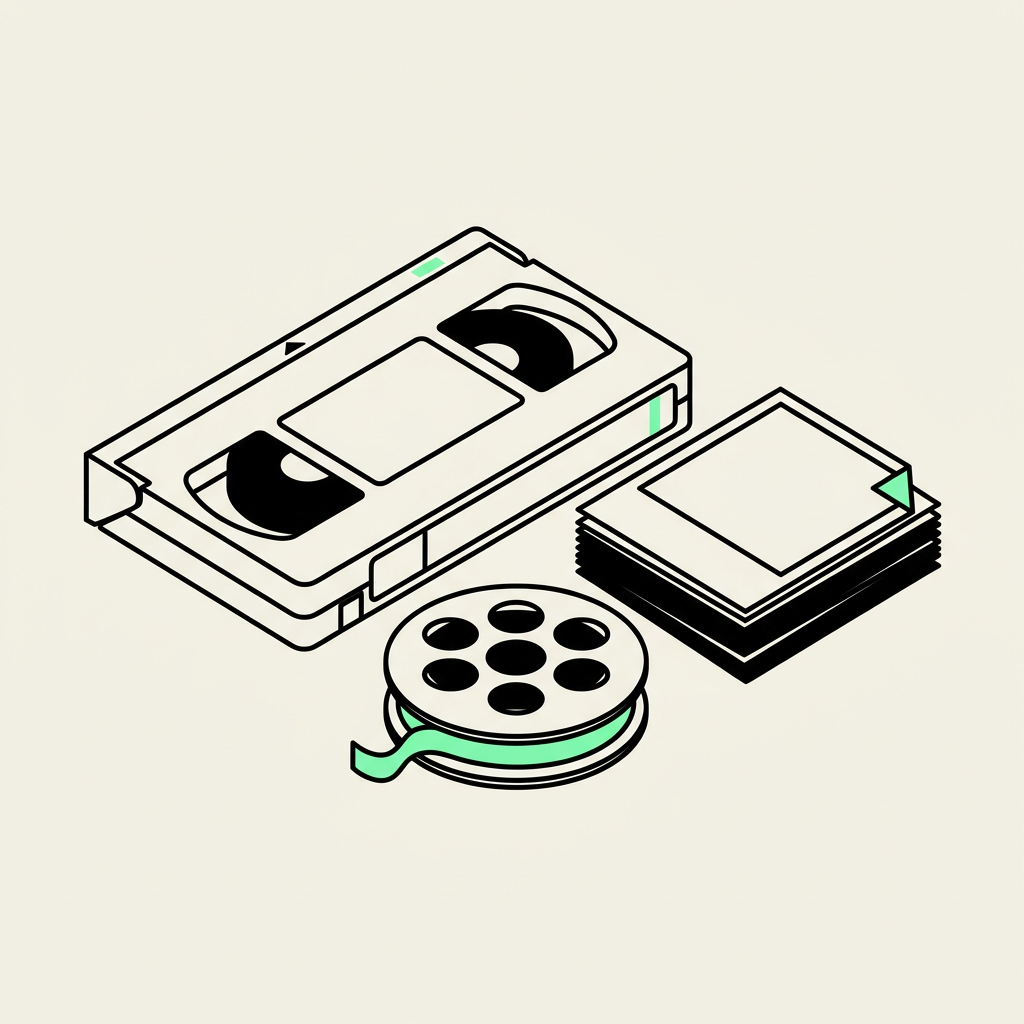
Complete media digitizing services convert photos, slides, negatives, film reels, VHS, Hi8, MiniDV, cassettes, and DVDs into shareable digital files. Phoenix Scanning handles all eight formats in-house at its Phoenix studio, avoiding subcontractors or overseas shipping entirely. Pricing varies by package; contact the brand directly for more information.
What Is Media Digitizing And Why Does It Matter?
Media digitizing means converting physical formats like tape, film, and paper prints into digital files that computers, phones, and televisions can read. The Complete Guide to Media Digitization frames the stakes plainly: analog media doesn't last forever. Photographs fade, colors shift, tapes degrade, and film turns brittle with age, according to the same guide. Every year a box of home movies sits untouched in a closet, that decay moves closer to permanent, irreversible loss.
Phoenix Scanning converts photos, slides, film reels, VHS tapes, camcorder tapes, audio cassettes, and CDs or DVDs into modern digital files built for easy storage and sharing. The process transforms fragile originals into formats that survive hard drive failures, water damage, and simple wear from repeated handling. Families gain a version of their history that copies without losing quality, unlike a VHS tape rewound one too many times.
What counts as media conversion?
Media conversion covers any transfer from an analog or aging digital format into a current digital file type. Heirloom's guide to digitizing services notes that this process turns physical materials into digital files that get preserved, organized, and shared with future generations. The scope spans several common household formats:
- Printed photographs and negatives
- Slides and film reels
- VHS, VHS-C, Hi8, and MiniDV tapes
- Audio cassettes
- CDs and DVDs
Why does digitizing family archives matter now?
Waiting costs more than storage space. Tapes stretch, magnetic coatings flake, and film stock becomes brittle enough to snap during playback. Family historians who convert family archives before that damage sets in preserve details — a child's laugh, a grandparent's voice, a wedding toast — that no later restoration effort can fully recover once the original medium fails.
What Formats Can You Actually Digitize?
Eight format categories cover nearly every box, drawer, or closet shelf in a Phoenix home. Phoenix Scanning specializes in media digitizing for photos, slides, film reels, VHS tapes, camcorder tapes, audio cassettes, and CDs/DVDs, all processed under one roof. That range matters because most family collections aren't limited to a single format. They're a mix accumulated across decades of birthdays, holidays, and everyday moments.
Photographs and slides typically make up the oldest layer of a family archive, followed by film reels from home movie cameras, then videotape formats as camcorders took over in later decades. Negatives often get overlooked, but they hold detail that faded prints have already lost. Below is a quick breakdown of what the studio accepts:
- Photo prints, slides, and negatives — loose prints, full albums, and 35mm slides
- Film reels — 8mm and Super 8 home movie footage
- VHS and VHS-C tapes — standard and compact camcorder cassettes
- Hi8 and MiniDV tapes — 1990s and early-2000s camcorder formats
- Audio cassettes — spoken recordings, mixtapes, and interviews
- CDs and DVDs — previously burned discs needing a modern file format
Can old camcorder tapes still be digitized?
Yes, Hi8, MiniDV, and standard VHS tapes remain candidates for conversion as long as the tape itself hasn't physically deteriorated beyond playback. Many families still hold these camcorder tapes without realizing the footage can move to a shareable digital file. Waiting longer only increases the risk that the tape stock degrades past the point of a clean transfer.
Is film reel digitization different from tape digitization?
Film reels use a projector-based capture process, while tapes require format-specific playback decks. Both processes fall under the same media conversion service at Phoenix Scanning, so mixed collections don't require separate vendors or separate trips across town.
What Tools And Skills Do You Need First?
Proper equipment matters more than enthusiasm when converting aging media into digital files. Specialized decks, careful handling procedures, and trained hands separate a usable transfer from a ruined one. Family historians tackling a mixed collection of tapes, photos, and film should understand what each format demands before pressing play.
Different physical formats call for different handling techniques from the very start. A photo print, a film reel, and a videotape don't share the same fragility profile, so a one-size-fits-all approach risks damaging irreplaceable originals. Recognizing these differences is the real starting skill behind any successful media digitizing project.
What Equipment Does Videotape Conversion Require?
VHS, VHS-C, MiniDV, and Betamax tapes need professional-grade decks, not a household VCR pulled from storage. These decks recover the remaining picture quality before the tape's oxide layer breaks down further. Skipping this step often means losing footage permanently, since consumer players can shred already-fragile tape.
Are Camcorder Tapes Different From VHS?
Yes. Hi8, Video8, and Digital8 cassettes — those small silver tapes common in 1990s camcorders — require calibrated 8mm decks rather than standard VHS equipment. Each tape gets run individually, with the picture monitored throughout the transfer.
Building an in-house media conversion setup capable of handling every format takes real investment. Specialists preserving a full archive typically work through:
- Professional-grade decks calibrated for VHS, VHS-C, MiniDV, and Betamax
- Dedicated 8mm decks for Hi8, Video8, and Digital8 camcorder tapes
- Trained eyes monitoring playback in real time for signs of tape stress
- Format-specific handling protocols suited to photos, slides, and film reels
Trained specialists working inside a dedicated studio bring these tools together consistently. That combination of calibrated hardware and hands-on attention is what makes learning how to digitize family archives less intimidating for anyone facing a closet full of unlabeled boxes.
How Do You Sort Your Family Archive?
Sorting starts with grouping items by format, not by decade or event. Different formats need different handling, and mixing them creates confusion once a project reaches a professional studio. A clear system saves time and prevents damage to fragile originals during the sorting process itself.
Family historians preparing a collection for media digitizing benefit from a structured approach rather than a random shoebox dive. The steps below outline a practical way to organize a home archive before any scanning or transferring begins.
- Separate items by physical format first — photo prints, slides, negatives, film reels, VHS and camcorder tapes, cassettes, and discs each need their own pile.
- Note the approximate age and condition of each group; brittle film and warped tapes require gentler handling than recent prints.
- Count boxes or containers within each format group, since an itemized quote for a project depends on an accurate box count.
- Label groups clearly with a marker or sticky note, including any known dates or family names tied to the contents.
- Set aside duplicates or damaged items for a separate conversation with a digitizing specialist about salvage options.
What Counts as "Media" in a Family Archive?
A family archive typically spans photo prints, slides, negatives, film reels, videotapes, camcorder tapes, audio cassettes, and discs. Each format represents a different decade of recording technology and a different failure risk. Recognizing every category present in a collection is the foundation of what is media digitizing as a preservation process.
Should Corporate or Organizational Archives Be Sorted the Same Way?
Larger organizational collections follow the same format-first logic, just at greater scale. Businesses and institutions with extensive archives get scalable solutions, a dedicated project manager, and documented handling procedures throughout the process. In-house media conversion work serves individual family boxes and corporate records alike, with high-resolution output delivered for both.
What Are The Steps To Digitize Media?
Six distinct formats follow a similar path from shelf to screen, though each requires its own equipment and handling. Media digitizing turns fragile originals into files that survive hard drive failures, house fires, and decades of natural fading. Skipping proper handling at any stage risks scratched film, jammed tapes, or washed-out color that no software can fully repair.
The general process runs in this order:
- Sort and inventory the collection. Separate photos, slides, film reels, and tapes by format before any conversion begins.
- Inspect each item for damage. Brittle film and moldy tape stock need extra care before they touch a machine.
- Load originals into format-specific capture equipment. Loose prints and full albums get scanned apartment, then color-corrected into sharp digital images worth printing again.
- Convert slides and film through dedicated hardware. Carousel trays of faded 35mm slides get restored and turned into a digital slideshow the whole family can actually watch.
- Transfer video formats to digital files. VHS, VHS-C, MiniDV, and Betamax tapes run through specialized capture machines and come out as shareable digital video, viewable on a PC, TV, or phone.
- Review the output for quality. Reels get watched start to finish, never run through a blind batch pass, so playback errors get caught before delivery.
How long does it take to digitize a family archive?
Timelines depend heavily on volume and format mix; a handful of tapes moves faster than a mixed archive of slides, film, and video. Corporate or multi-generational archives with hundreds of items naturally take longer due to the frame-by-frame attention each reel or tape demands.
Do all formats need the same digitizing process?
No — digitize photos and tapes describes two different workflows entirely. Photos and slides go through flatbed scanning and color correction, while video formats require playback decks and real-time capture. media conversion for motion picture material can't skip the viewing step.
How Do You Choose A Trustworthy Provider?
Trustworthy providers keep every step of media digitizing under one roof, rather than routing boxes of family history through unnamed subcontractors. Phoenix Scanning built its reputation on this exact principle: original media never leaves the building, and trained specialists handle every reel, tape, and print from intake to final file. That distinction matters more than a low price tag. A provider's handling practices determine whether irreplaceable footage survives the process intact.
Families searching for a service to digitize photos and tapes should look past marketing claims and examine actual operating practices. A few questions separate a dependable studio from a risky one:
- Does the provider outsource any part of the job, or ship materials to outside labs?
- Are technicians trained specifically in archival handling, not just general customer service?
- Does the studio use calibrated equipment suited to each format, from film reels to camcorder tapes?
- Can staff explain their documented procedures for tracking a customer's box through the workflow?
Phoenix Scanning answers each of these by keeping every project in-house in Phoenix, with no subcontractors and no mystery labs involved in the media conversion process. That structure grew out of humble beginnings, a spare-bedroom operation that expanded into a full studio staffed by a team with backgrounds in photography, video production, and archival work.
What questions should someone ask before hiring a digitizing service?
Ask directly where the physical media travels during the process and who touches it along the way. A provider unwilling to explain its handling chain deserves skepticism, since vague answers often signal outsourcing.
Does in-house digitizing actually protect old media better?
Keeping materials on-site reduces the number of hands, shipments, and facilities involved. Fewer transfers mean fewer opportunities for damage, loss, or delay, which matters most for one-of-a-kind reels and prints. For anyone learning how to digitize family archives, this in-house model offers a clearer, safer path than sending memories across the country.
What Delivery And Storage Options Exist?
Two delivery formats cover most needs: secure cloud links and physical USB flash drives. Phoenix Scanning finishes every project in one of these two ways, giving families and organizations a choice that fits how they plan to store, share, or archive their converted collection.
Each format serves a different purpose. Cloud delivery suits customers who want to share newly digitized footage with relatives across the country within minutes of project completion. A physical USB drive suits customers who want a tangible backup sitting in a drawer, safe from internet outages or account changes. Many customers choose both, since redundancy protects against the loss of a single storage method.
Digitize photos and tapes projects generally follow the same handling standard regardless of delivery choice. Output arrives in high-resolution digital formats, and every original photo, slide, reel, or tape receives careful handling throughout the conversion process. Nothing gets rushed, and nothing gets treated as disposable once the original media leaves a customer's hands.
How should families store their digitized files long-term?
Storage strategy matters as much as the conversion itself. A single copy on one device isn't real preservation; a hard drive can fail, a laptop can get lost. Pairing a cloud copy with a physical USB drive gives family archives two independent safety nets against media conversion loss.
Does digitizing actually stop old media from deteriorating further?
Digitizing a collection stops the clock on further decay. Once photos, slides, film reels, and tapes exist as digital files, fading, warping, and tape degradation no longer threaten the memories themselves. The files become easy to view, share, and pass down to future generations, regardless of what eventually happens to the original physical item.
That preservation mindset reflects the same commitment driving Phoenix Scanning's daily work: reliable, personal, in-house digitization built to protect the memories that matter most to Phoenix-area families.
What Mistakes Should You Avoid Converting Media?
Several avoidable errors put family collections at risk during media digitizing projects. Assuming an old tape or photo album will simply hold up over time ranks as the most common misstep. Analog formats were never built to last forever. Delay compounds the problem, as continued deterioration threatens to erase memories permanently rather than just degrade their quality.
Why does waiting to digitize make things worse?
Every year a videotape, slide, or film reel sits in storage, its condition worsens. Analog formats continue to break down whether they're used or not. Once damage sets in, no lab can fully reverse it. Treating media conversion as a someday project — instead of a time-sensitive one — is how families lose irreplaceable footage and photos for good.
Beyond timing, provider selection carries its own risks. A rushed or careless approach to digitizing photos and tapes can compromise the very originals a family is trying to protect. Common mistakes include:
- Delaying conversion until formats become obsolete or unreadable by existing equipment
- Selecting a provider without clear handling procedures for fragile originals
- Overlooking whether original media integrity gets preserved during the process
- Failing to plan storage and backup for the finished digital files
What happens if a provider doesn't protect the originals?
Quality and archival value both suffer when original media isn't handled with care during conversion. Family archives and organizational records lose value if scans or transfers introduce damage, skipped frames, or color loss. Phoenix Scanning treats preservation of the original item as a core standard of its process, not an afterthought.
As older formats keep becoming obsolete. Physical media keeps deteriorating, digitizing stands as one of the most reliable paths to protecting family history. Avoiding these mistakes — delay, careless handling, and poor provider vetting — determines whether those memories survive for the next generation or disappear entirely.
Conclusion
In closing, preserving your memories doesn't have to feel overwhelming—it's about finding a partner who genuinely cares about protecting what matters most to you. Phoenix Scanning brings together expertise, integrity, and a commitment to keeping your originals safe while creating digital files built to last. Whether you're safeguarding family photos or organizing decades of organizational records, you're getting hands-on attention from trained professionals who understand that these aren't just files—they're your story. That's the difference that comes from doing the work right, right here in Phoenix.